
Common Stripe Verification Problems and How to Resolve Them
Stripe is a widely used payment platform for eCommerce stores, freelancers, SaaS companies, digital agencies, and international businesses. However, completing Stripe account verification can sometimes be challenging, especially when business documents, identity information, or website details do not meet the required standards.
If your Stripe account verification failed, your documents were rejected, or your payouts are temporarily restricted, understanding the cause is the first step toward resolving the issue.
This guide explains the most common Stripe verification problems, their possible causes, and practical steps businesses can take to address them.
What Is Stripe Account Verification?
Stripe account verification is a process used to confirm the identity, ownership, and legitimacy of businesses and individuals using its payment services.
Depending on the country and business structure, Stripe may request:
- Government-issued identification
- Legal business name and registration details
- Business address verification
- Bank account ownership information
- Website or business activity information
- Details of directors and beneficial owners
- Additional documents for regulatory compliance
These checks support Know Your Customer (KYC) and Know Your Business (KYB) obligations.
Important: Stripe verification requirements vary by jurisdiction, business type, and account activity. Completing initial verification does not guarantee that further information will never be requested.
1. Stripe Identity Verification Failed
Identity verification is one of the most common challenges businesses encounter.
Common Causes
- Incorrect personal information
- Name or date-of-birth mismatch
- Expired identity documents
- Unclear or incomplete document images
- Unsupported identification documents
- Missing additional identity information
How to Resolve It
First, review the verification notification in your Stripe Dashboard.
Compare your submitted information with your official identification document. Make sure your name, date of birth, and other requested details are accurate.
If Stripe requests another document, upload a current, accepted document using the secure Dashboard process.
Avoid modifying document images or submitting inaccurate information. If a legitimate discrepancy cannot be corrected through the Dashboard, contact Stripe Support.
2. Stripe Business Verification Problems
Business verification problems often occur when Stripe cannot confirm a company’s legal identity or registration details.
For example, a company might use a trading name on its website while its registration documents contain a different legal name.
Possible Reasons
- Business name does not match official records
- Incorrect registration number
- Outdated business address
- Missing incorporation documents
- Incorrect legal entity type
- Incomplete ownership information
How to Fix Business Verification Issues
Step 1: Review the legal business information in your Stripe Dashboard.
Step 2: Compare it with your current business registration documents.
Step 3: Correct inaccurate information where permitted.
Step 4: Upload the documentation Stripe specifically requests.
Step 5: Monitor your Dashboard for additional requirements.
Business verification documents generally need to be readable, current, and consistent with the information submitted to Stripe.
3. Stripe Verification Documents Rejected
A document can be genuine and still fail verification if it doesn’t meet Udsljc’s formatting, validity, or information requirements.
Common Document Problems
| Problem | Recommended action |
| Expired document | Submit a current document |
| Blurry image | Capture a clear, readable image |
| Missing pages | Provide all requested pages |
| Name mismatch | Correct the underlying information |
| Unsupported document | Check country-specific accepted documents |
| Incorrect file format | Use the format Stripe requests |
Best Practices for Document Submission
Use original, unaltered documents and follow the upload instructions shown in your account.
Ensure that all required details are visible. Do not crop out information necessary for verification.
Stripe states that sensitive verification documents should be submitted through its Dashboard rather than ordinary email.
4. Stripe Website Verification Failed
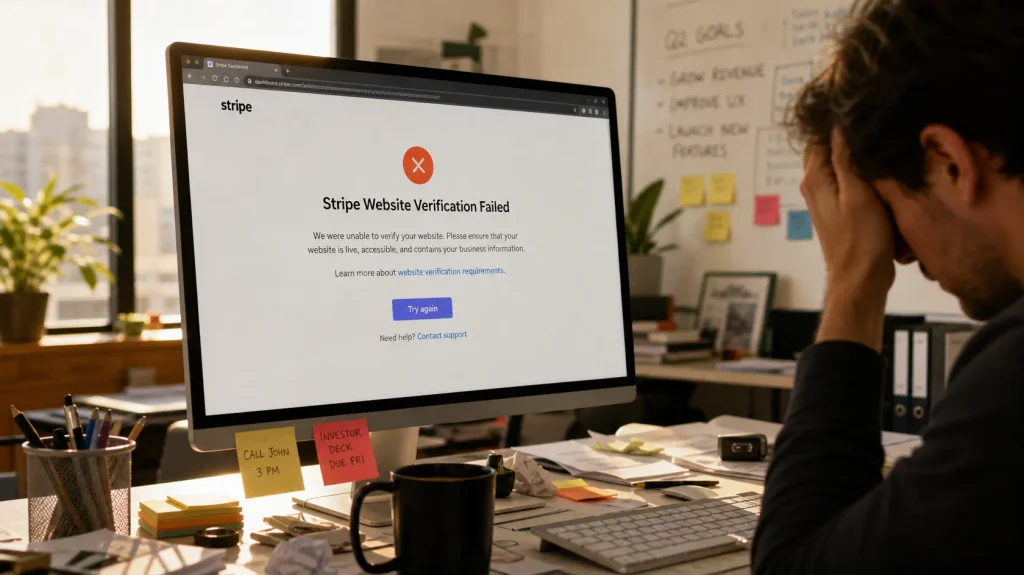
Your business website can play an important role in the verification process.
Stripe may review your website to understand what your business sells, how customers interact with your company, and whether the information is consistent with your account.
Why Stripe May Reject a Website
Common reasons include:
- Website is inaccessible
- Store is incomplete or under construction
- Products or services are not clearly described
- Business details do not match the Stripe account
- Customer support information is missing
- Important customer policies are unavailable
- Stripe cannot confirm website ownership
How to Prepare Your Website
Before submitting your website for review, check that it includes:
- A clear business or brand name
- Accurate product or service descriptions
- Contact information
- Refund and dispute policies
- Return policies where applicable
- Cancellation information for relevant services
- Applicable terms and conditions
Your website should also function correctly on desktop and mobile devices.
If Stripe requests website ownership verification, follow the instructions provided in your Dashboard.
5. Stripe Bank Account Verification Problems
Some businesses experience payout delays because Stripe cannot verify the bank account information associated with their payment account.
Possible Causes
- Incorrect bank details
- Account holder name mismatch
- Unsupported banking arrangement
- Missing bank ownership documentation
- Incomplete payout information
Recommended Solutions
Review the banking information entered into your account.
Check that the account ownership details satisfy the applicable Stripe requirements.
If Stripe requests proof of ownership, provide an accepted official bank document.
Never use unrelated third-party banking information to misrepresent account ownership.
6. Stripe Account Restricted After Verification
Some businesses assume that once their Stripe account is verified, they will never face another account review.
However, verification and risk monitoring are ongoing processes.
Stripe may request additional information about:
- Business activities
- Products or services
- Ownership changes
- Transaction patterns
- Customer disputes
- Regulatory requirements
Depending on the issue, payment processing or payouts may be restricted until outstanding requirements are resolved.
What Should You Do?
- Read the exact restriction notice in your Stripe Dashboard.
- Identify whether it concerns verification, compliance, risk, or another issue.
- Submit accurate supporting information through official channels.
- Contact Stripe Support when clarification is needed.
- Avoid creating replacement accounts to circumvent restrictions.
Not every restriction can be resolved by submitting verification documents. Some cases involve business eligibility or risk decisions.
7. Stripe Verification Requirements in Europe for 2026
Businesses operating in Europe should pay particular attention to updated verification requirements.
Stripe has announced additional verification requirements for certain European accounts in 2026, including checks involving identity, legal entities, directors, and ultimate beneficial owners.
Depending on the account, Stripe may request updated personal or business information.
Businesses should review notifications in their Stripe Dashboard and complete applicable requirements by the stated deadline.
8. How Long Does Stripe Verification Take?
There is no single guaranteed verification timeline.
Some information may be verified automatically, while additional document reviews can take longer.
Stripe’s support guidance indicates that certain document reviews may take several business days. Additional requests can extend the process.
To avoid unnecessary delays:
- Submit complete information
- Use accepted document types
- Respond promptly to official requests
- Keep business records updated
- Check the Dashboard for outstanding requirements
Submitting documents repeatedly without addressing the actual rejection reason may not resolve the problem.
9. How to Prevent Future Stripe Verification Problems
Businesses can reduce avoidable verification issues by maintaining accurate and consistent information.
Recommended Checklist
- Keep your business registration information current.
- Maintain accurate ownership and director details.
- Use banking information that meets account requirements.
- Keep your website accessible and updated.
- Clearly explain your products and services.
- Maintain appropriate customer policies.
- Monitor Stripe notifications regularly.
- Protect account access with multifactor authentication.
- Review applicable restricted-business requirements.
- Respond to additional verification requests accurately.
These practices can improve verification readiness, but they do not guarantee approval or prevent every account review.
10. How AcctroBoost Supports Online Business Payment Readiness
At AcctroBoost, we understand that international entrepreneurs, freelancers, and eCommerce businesses often need guidance when evaluating payment platforms and preparing their digital business infrastructure.
AcctroBoost publishes resources covering business payment solutions, digital services, account security, and payment-related considerations.
If you are researching Stripe account verification, payment setup, or international business payment solutions, explore our related resources:
Explore AcctroBoost Stripe Payment Resources
For actual account-specific verification decisions, document reviews, and restrictions, businesses should work directly with Stripe through its official support channels.
AcctroBoost is not presented here as an officially authorized Stripe verification provider, and third-party services cannot guarantee Stripe approval.
Frequently Asked Questions About Stripe Verification
Why did my Stripe account verification fail?
Stripe verification may fail because of inaccurate identity information, inconsistent business details, unacceptable documents, website issues, or outstanding regulatory requirements. Check your Dashboard for the specific reason.
How do I fix Stripe identity verification problems?
Review the requested information, correct legitimate errors, and submit an accepted identity document through the official Stripe Dashboard.
Can I use Stripe without business verification?
Stripe may allow some initial account activities before all checks are completed, but applicable verification requirements must be satisfied to maintain relevant payment and payout capabilities.
Why is Stripe asking for verification again?
Stripe may request additional information because of regulatory updates, changes in business information, ongoing reviews, or other account requirements.
Can Stripe verification be completed instantly?
Some checks can be automated, but others require additional documentation or manual review. Instant completion is not guaranteed.
What happens if my Stripe verification documents are rejected?
Review the rejection notice, identify the specific issue, and submit an accepted replacement document or correct the relevant information.
Does an aged Stripe account avoid verification?
No. Account age does not eliminate ongoing verification requirements, compliance obligations, or potential reviews.
Can a third-party provider guarantee Stripe verification?
No legitimate independent service can guarantee Stripe’s verification decision. Stripe determines its own account eligibility and verification requirements.
Final Thoughts
Common Stripe verification problems can be frustrating, especially when payment processing is essential to daily business operations.
However, many documentation and information-related issues can be addressed by reviewing the actual requirements, correcting legitimate errors, and submitting appropriate evidence.
The most effective approach is to maintain accurate business records, prepare a professional website, protect account security, and respond to official Stripe requests.
For entrepreneurs building international businesses, understanding payment verification is an important part of developing reliable payment infrastructure.
Explore AcctroBoost’s business payment resources and build a more informed approach to online payment operations.